
Vlog One Studio
What will you do with the time you save?
The purpose of Vlog One Studio software is to equip creators to produce online content quickly, with the quality of a production operated by several people and extensive post-production, though being easily operated by the creator alone with little or no post-production required.
Created to improve the content creation experience
SOFTWARE
We want media creators to feel the joy of their art, and not the dread of their post-production workflow. We wanted something better, which didn't exist. So, we made it! With over 20 years of vlog software engineering experience, Vlog One Studio solves the common problems of online content creation.
Vlog One Studio consists of two software programs / apps:
-
Vlog One Studio Capture (Windows) – performs all content creation, recording, and live streaming tasks (see features list below).
-
Vlog One Studio Presenter (Android / Windows) [Optional]– remote control of Vlog One Studio Capture, in the palm of your hand (see features list below).
Vlog One Studio Capture User Interface:

Vlog One Studio Capture Features:






10. Pan / tilt / zoom (PTZ) Camera Control
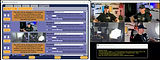
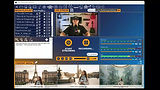
If you have PTZ cameras, manually control up to 4 of them with ease, or create automated motion routines for your cameras to perform automatically during your vlog - giving the professional visual quality of having multiple camera operators, and further removing post-production tasks.

11. Complete Help Videos
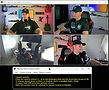
Help using Vlog One Studio is just a few clicks away whenever you need it with easy to follow help videos that clearly explain how to setup and use each software feature effectively. Additionally, you can use our cutting edge AI tool, VOSAIA (powered by Gemini), to ask any question about Vlog One Studio, and receive detailed, step-by-step instructions with links to videos at the exact time the answers to your question are discussed!
If your content creation requires you to be out of reach of your computer, control Vlog One Studio Capture remotely with your phone or tablet using Vlog One Studio Presenter!
Vlog One Studio Presenter User Interface:

Media Control Mode:

Camera Control Mode:
Vlog One Studio Presenter App Features:


3. Remote media Overlay control
Remotely control display of media overlays, including text, images, and videos. Perfect for vlogging where you will be moving in front of the camera (examples: education vlogs, fitness, vlogs, cooking vlogs, etc). Also perfect for simply delivering a speech or presentation to a live audience, such as in a business, school, University, or church.
